
Mac App Store + Tomocreate Hub
TranceMIDI
Design trance arrangements step by step and export MIDI blueprints to your DAW. Complete the skeleton of your track before touching a single synth.
Direct download·7-day free trial·Notarized by Apple·Updates included·Support page
v1.2.1 · 7-day free trial · macOS 14.0+
Requires Tomocreate Hub for license activation (bundled in the installer).
Also available on

Mac App Store purchases do not include the 7-day free trial. Updates are delivered through the Mac App Store. Refunds follow Apple's refund policy.
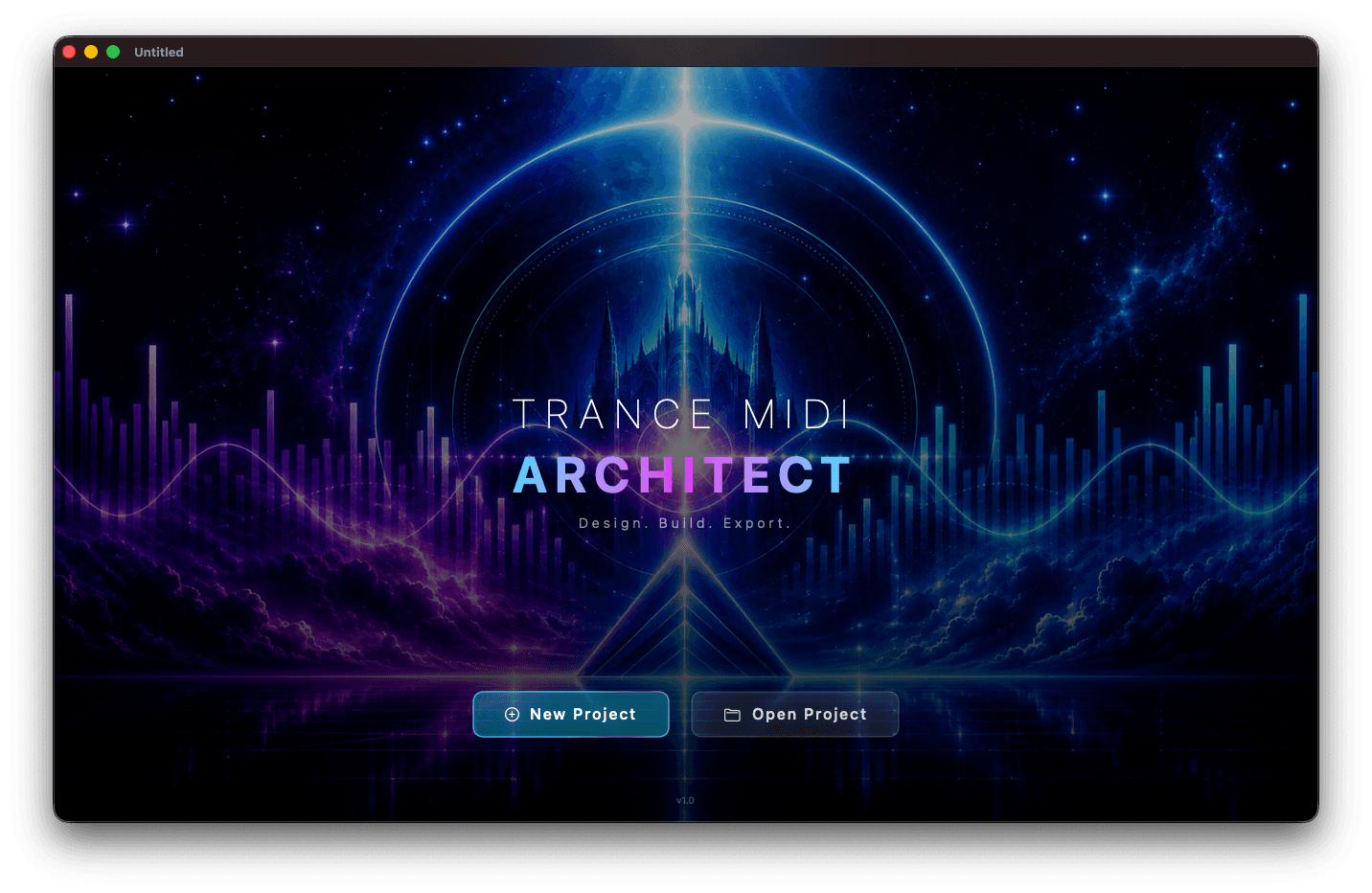
9 Genres x 11 Moods
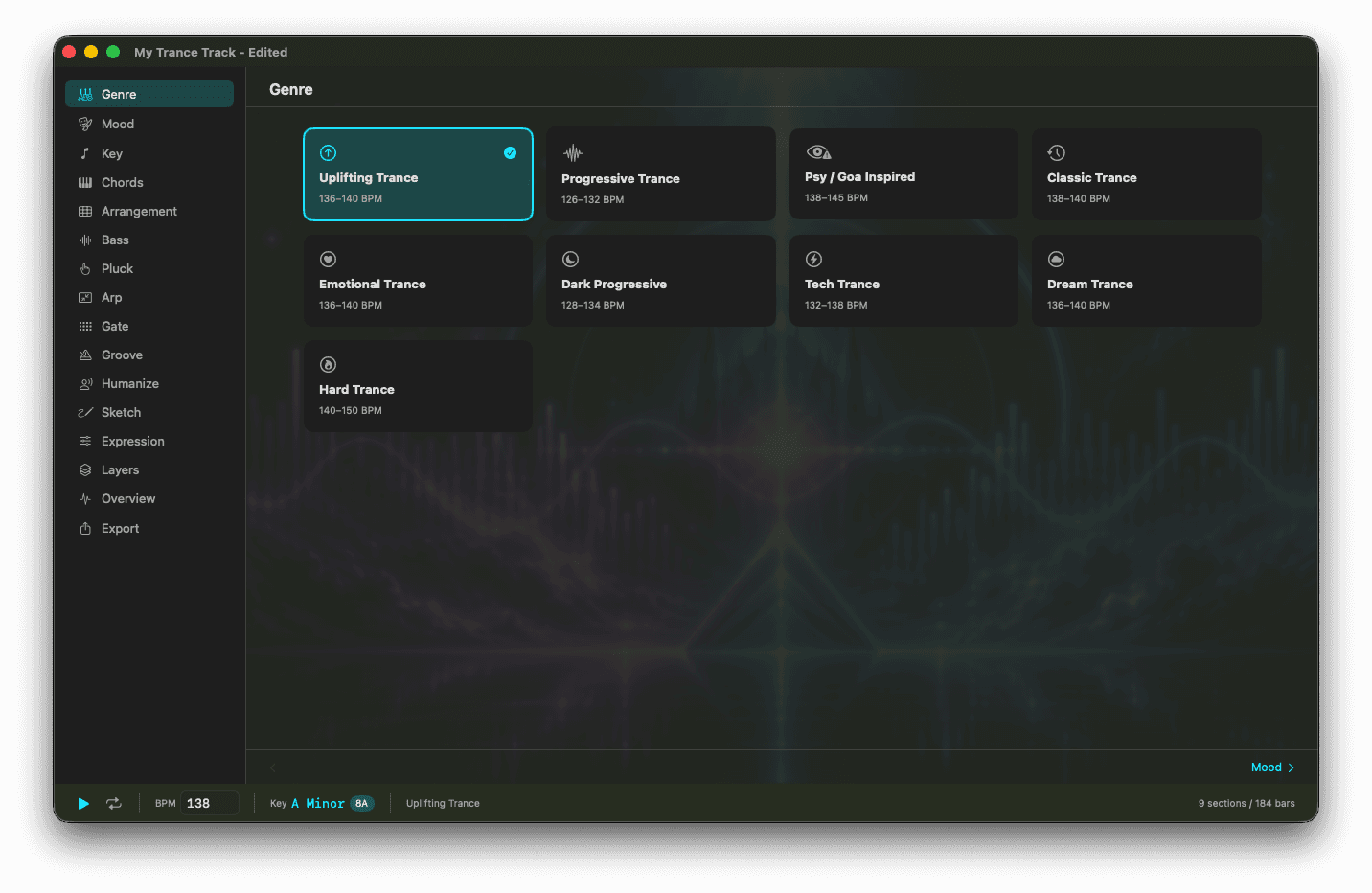
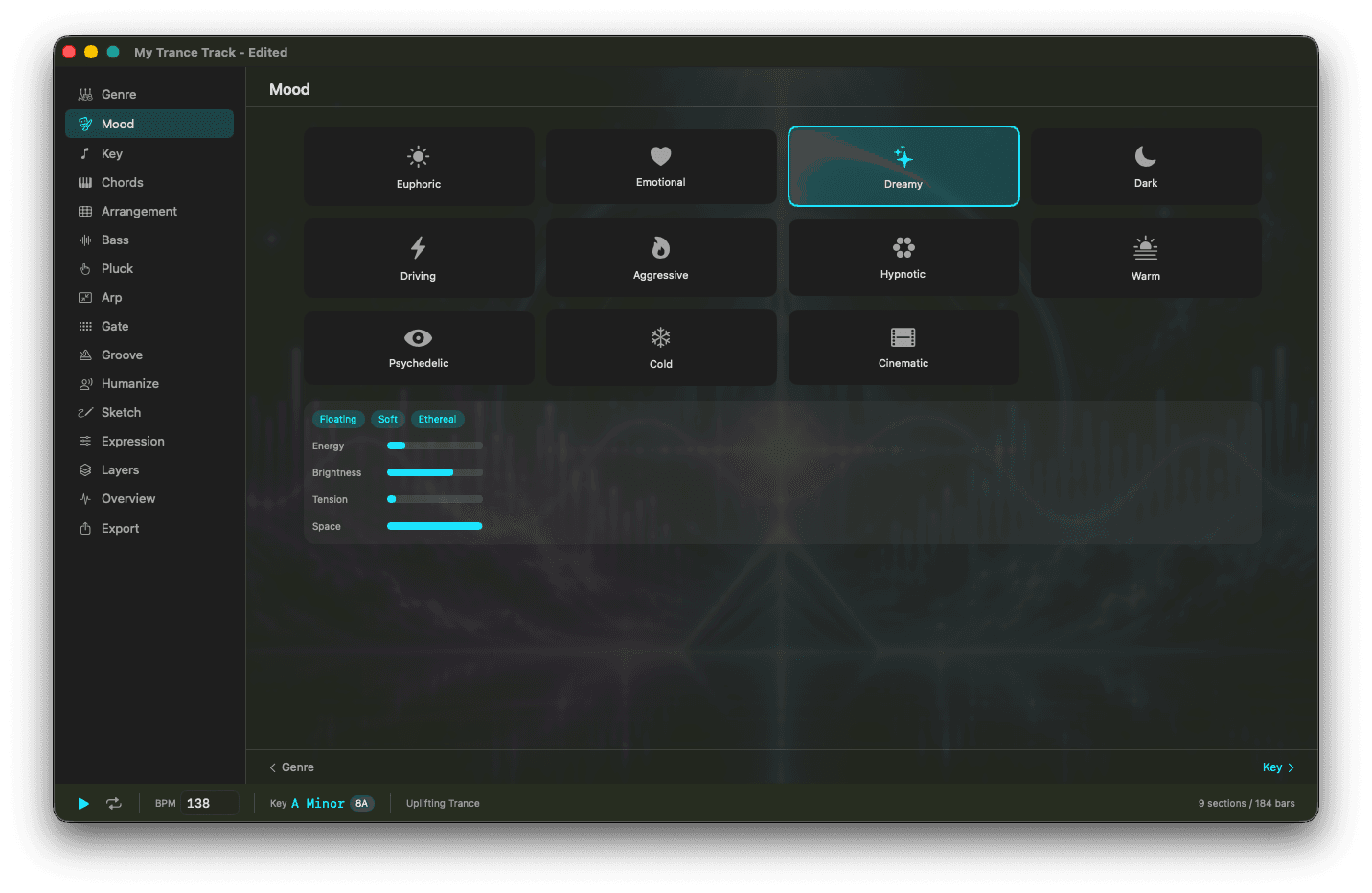
Uplifting, Progressive, Psy/Goa, Classic, Emotional, Dark Progressive, Tech, Dream, Hard Trance. Combined with 11 moods (Euphoric, Emotional, Dreamy, Dark, Driving, Aggressive, Hypnotic, Warm, Psychedelic, Cold, Cinematic), each genre auto-recommends BPM ranges and chord progressions.
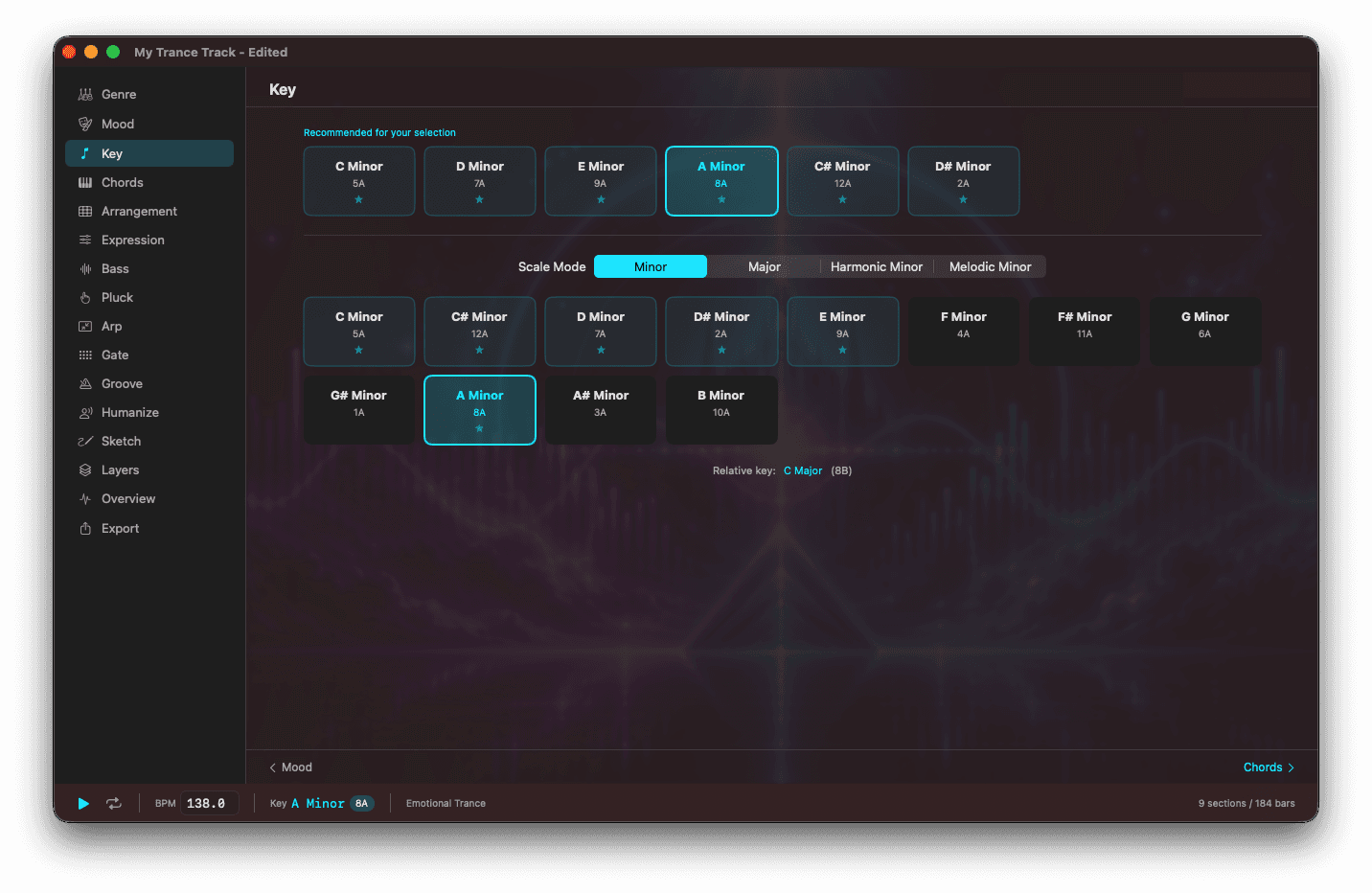
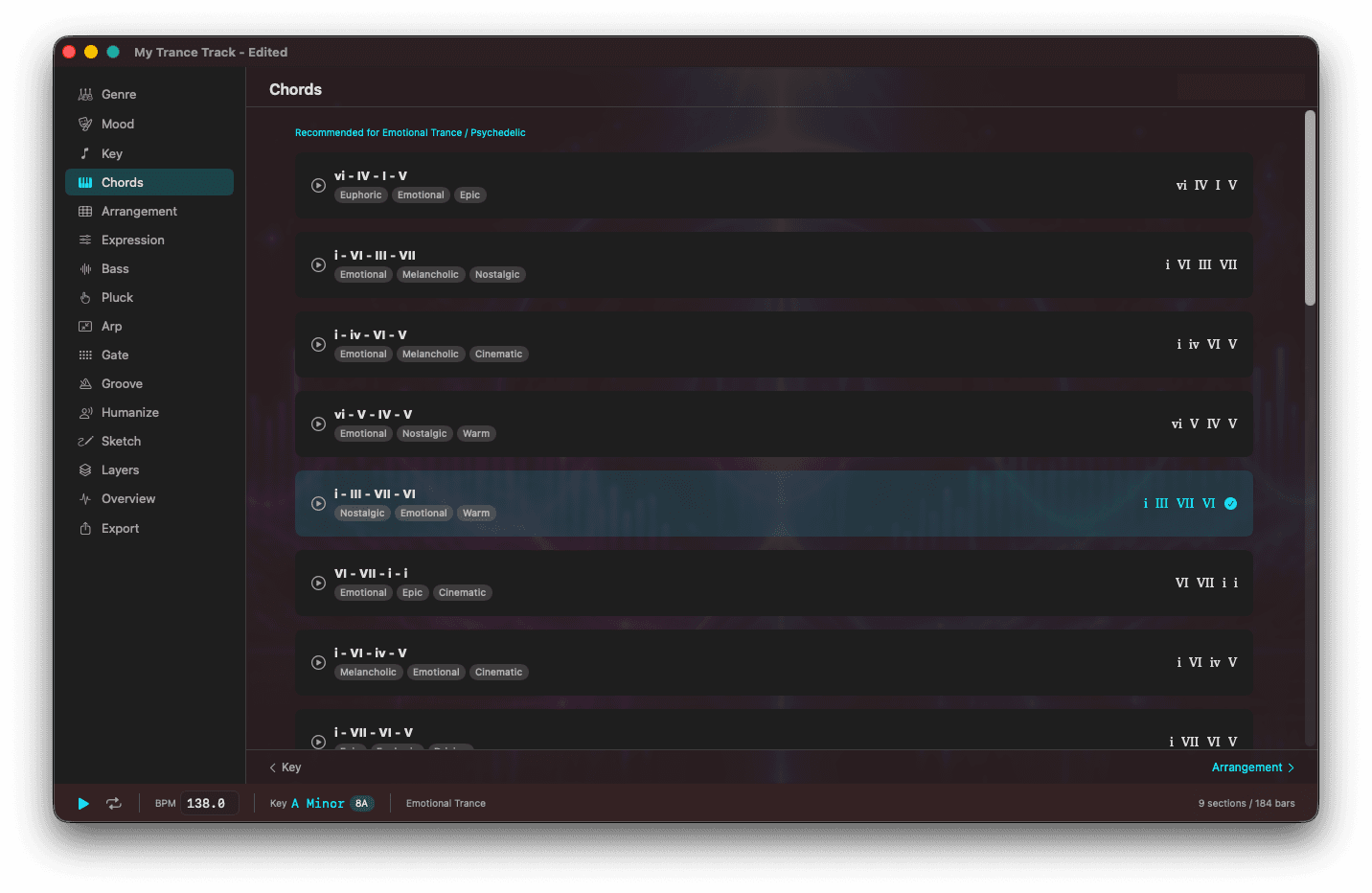
Key Selection & Chord Progression Library
Choose from 24 keys and browse 25 trance-specific chord progressions. Each progression has genre compatibility, mood tags, and energy levels. Progressions matching your current genre and mood are auto-filtered. Preview playback lets you hear the harmony instantly.
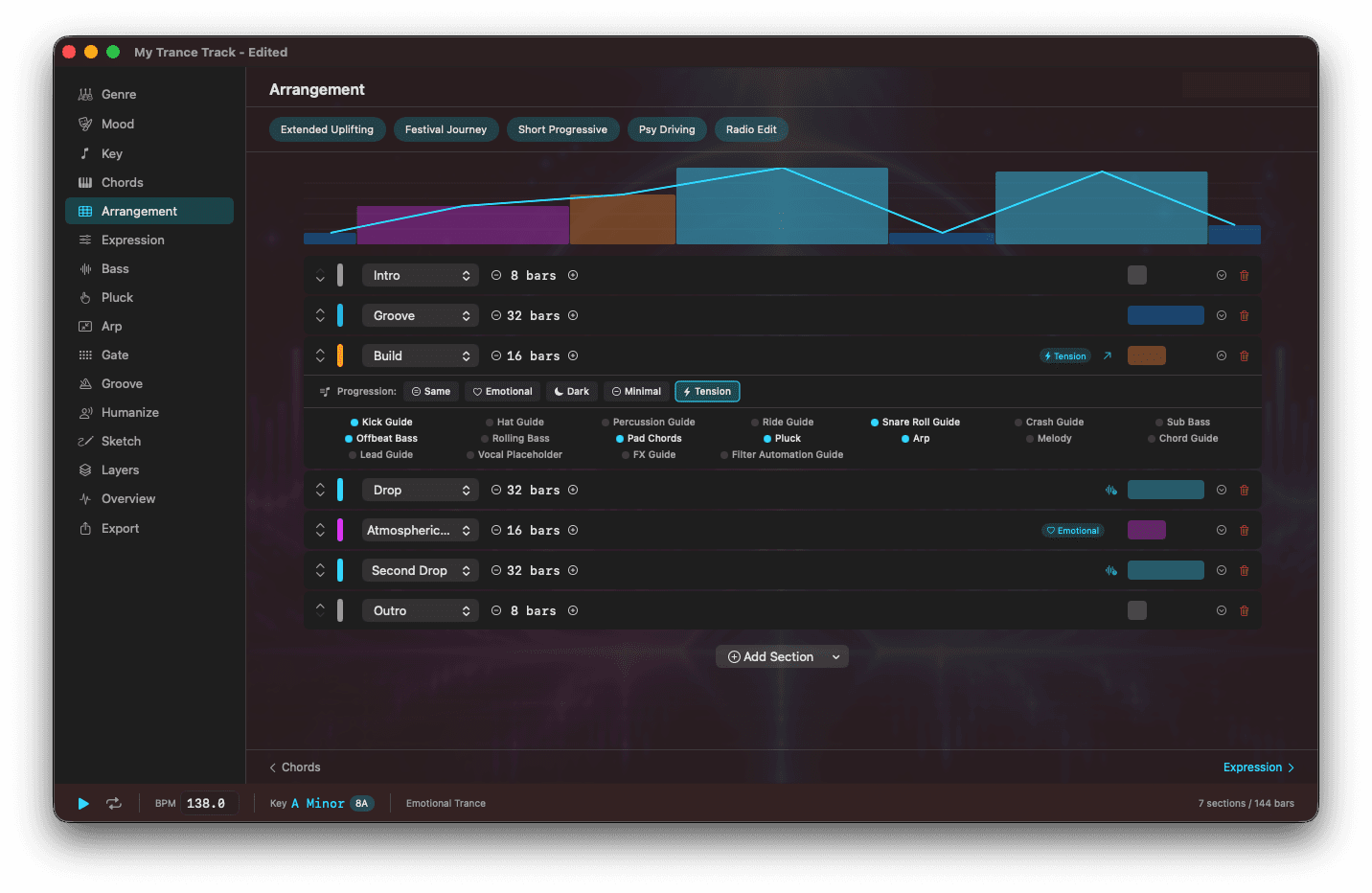
Smart Arrangement
13 section types (Intro, Main, Build, Build Up, Breakdown, Mini Break, Atmospheric Bridge, Fake Drop, Drop, Second Drop, Final Drop, Outro, DJ Outro) with drag-to-reorder. 5 presets (Extended Uplifting 192 bars, Festival Journey 192 bars, Short Progressive 128 bars, Psy Driving 160 bars, Radio Edit 72 bars) for instant start.
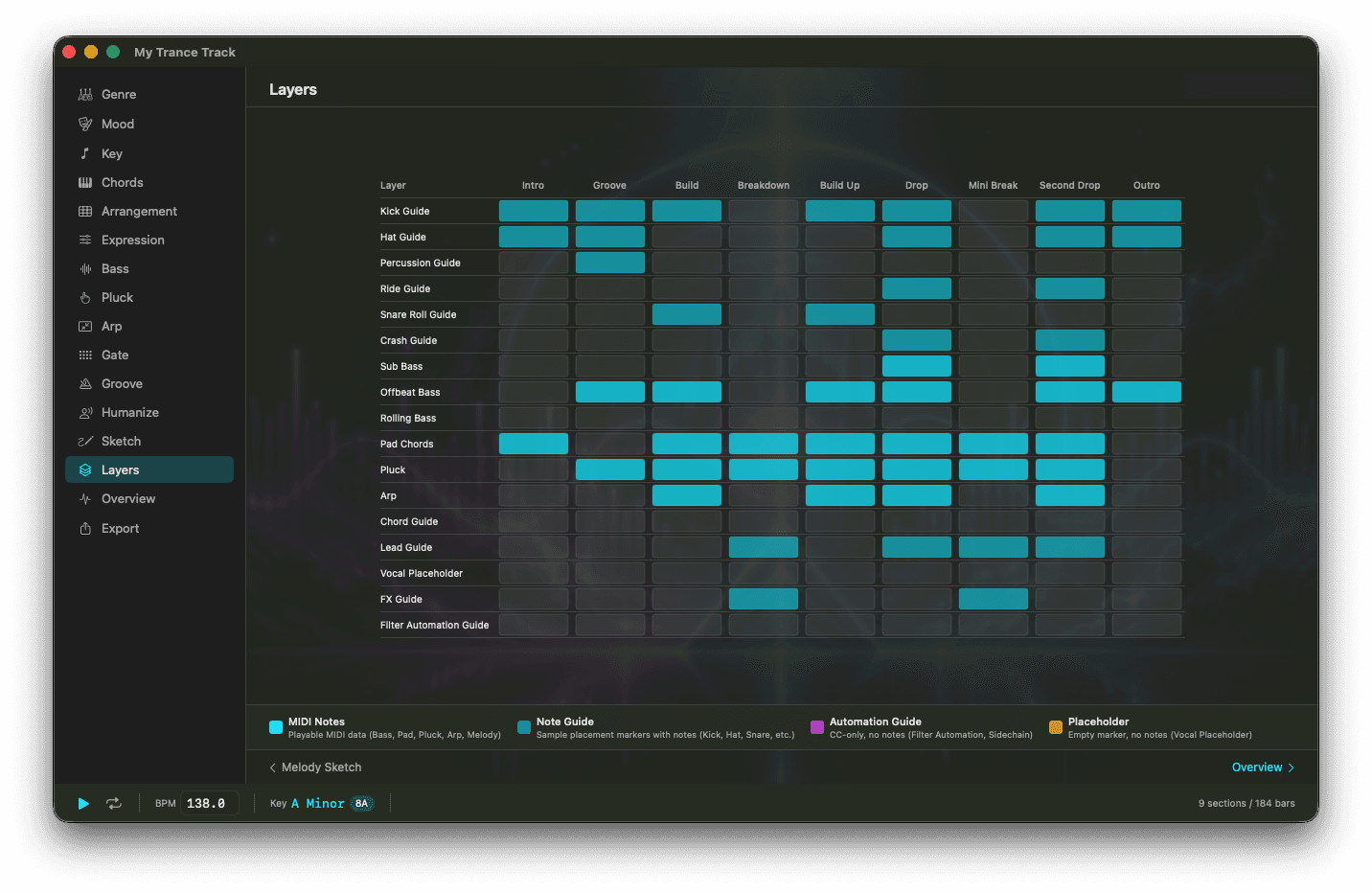
Layer Matrix
Control up to 18 layers per section: Kick, Hat, Percussion, Ride, Snare Roll, Crash, Sub Bass, Offbeat Bass, Rolling Bass, Pad Chords, Pluck, Arp, Melody, Chord, Lead, Vocal Placeholder, FX, Filter Automation. Adjust density, velocity, note length, and MIDI channel per layer. Guide tracks mark where to place your own samples.
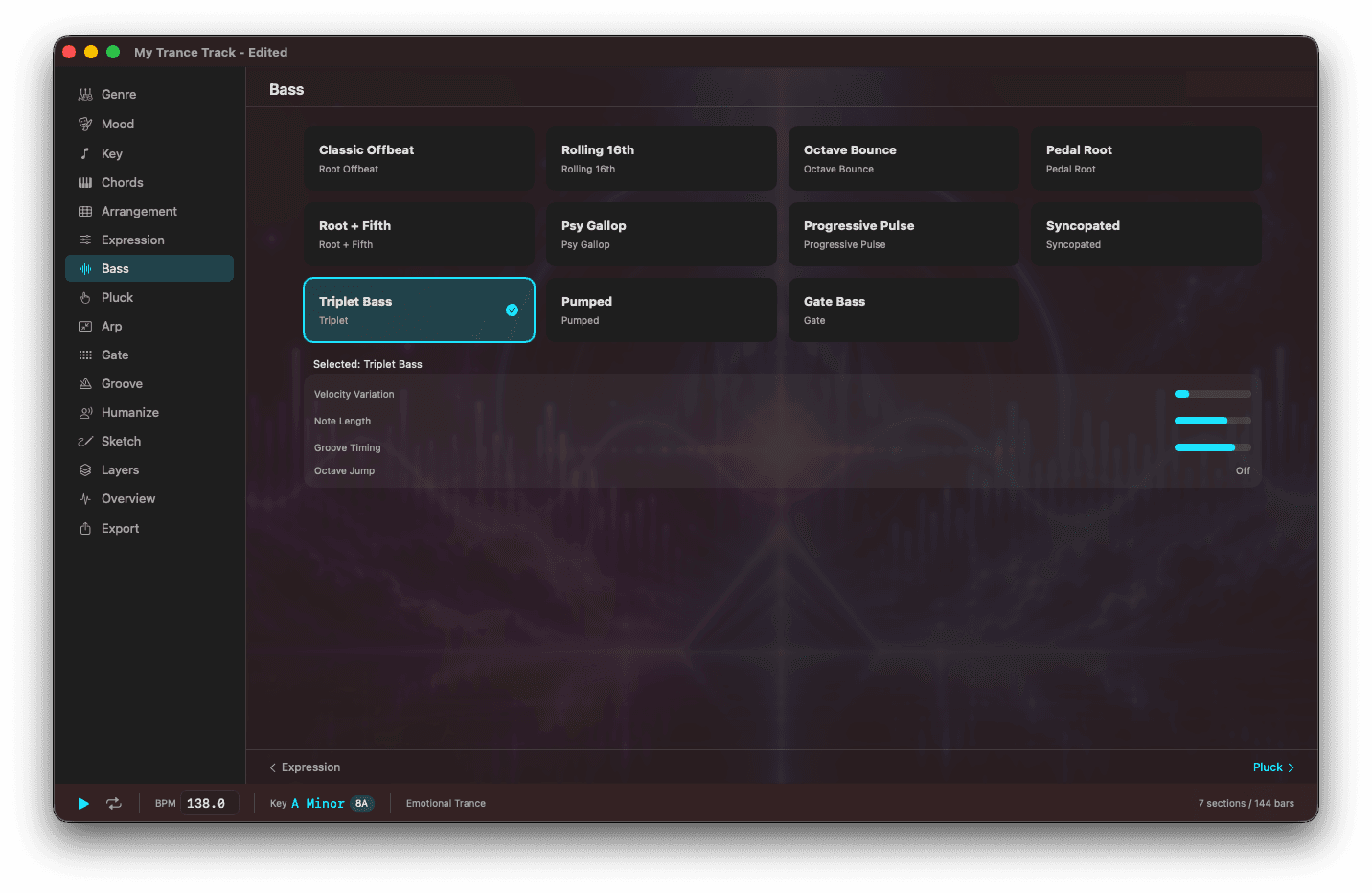
Pattern Engines
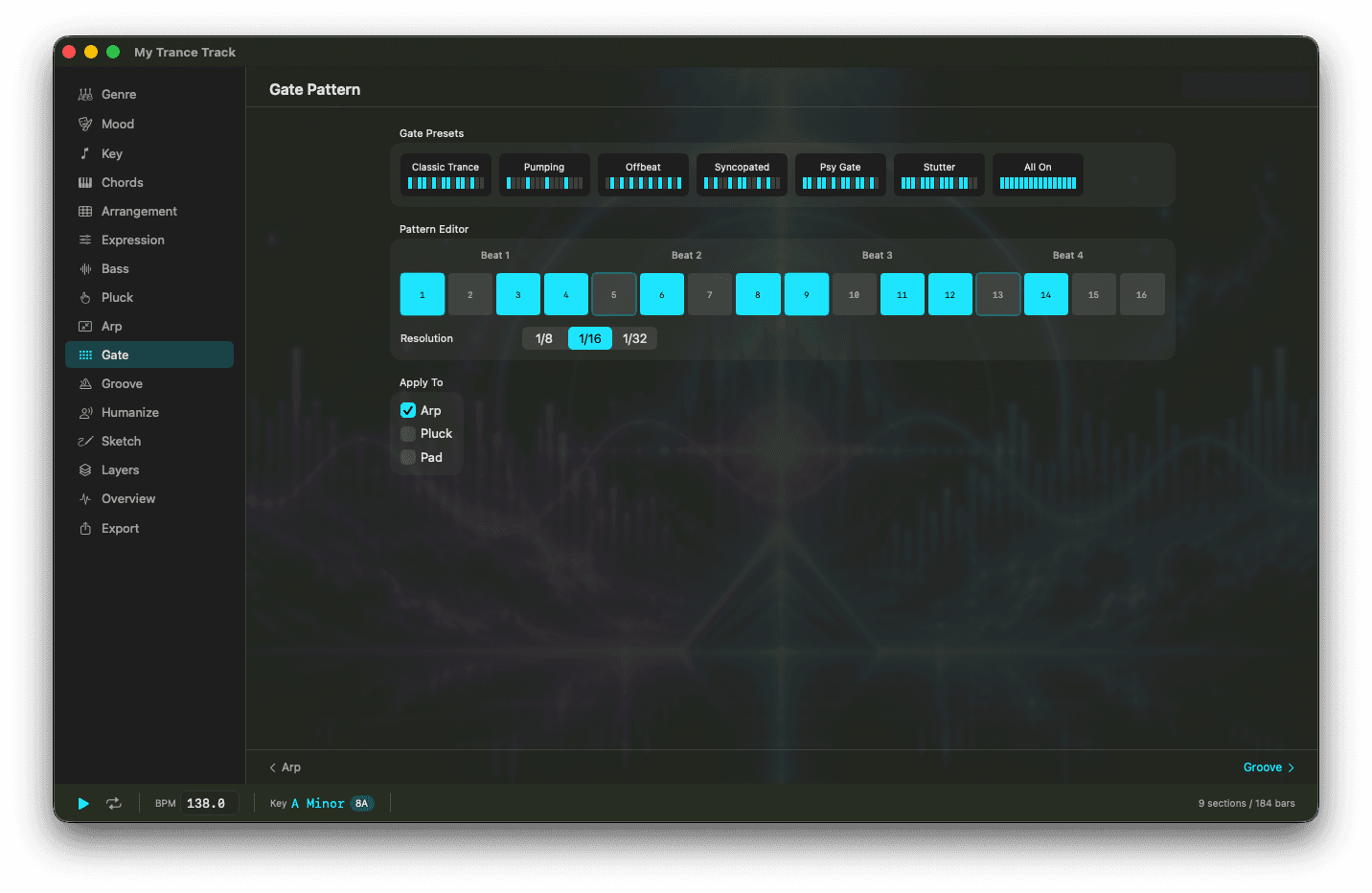
11 bass patterns (Root Offbeat, Rolling 16th, Octave Bounce, Psy Gallop, Pumped, Gate, etc.), 10 arpeggiator patterns, 8 pluck patterns, 7 gate sequencer presets with 16-step editor, 8 groove modes (Straight, Triplet, Swing, Psy Rolling, Shuffle, etc.), 5 humanization profiles. Chord-following patterns bring your track to life.
Melody Sketch
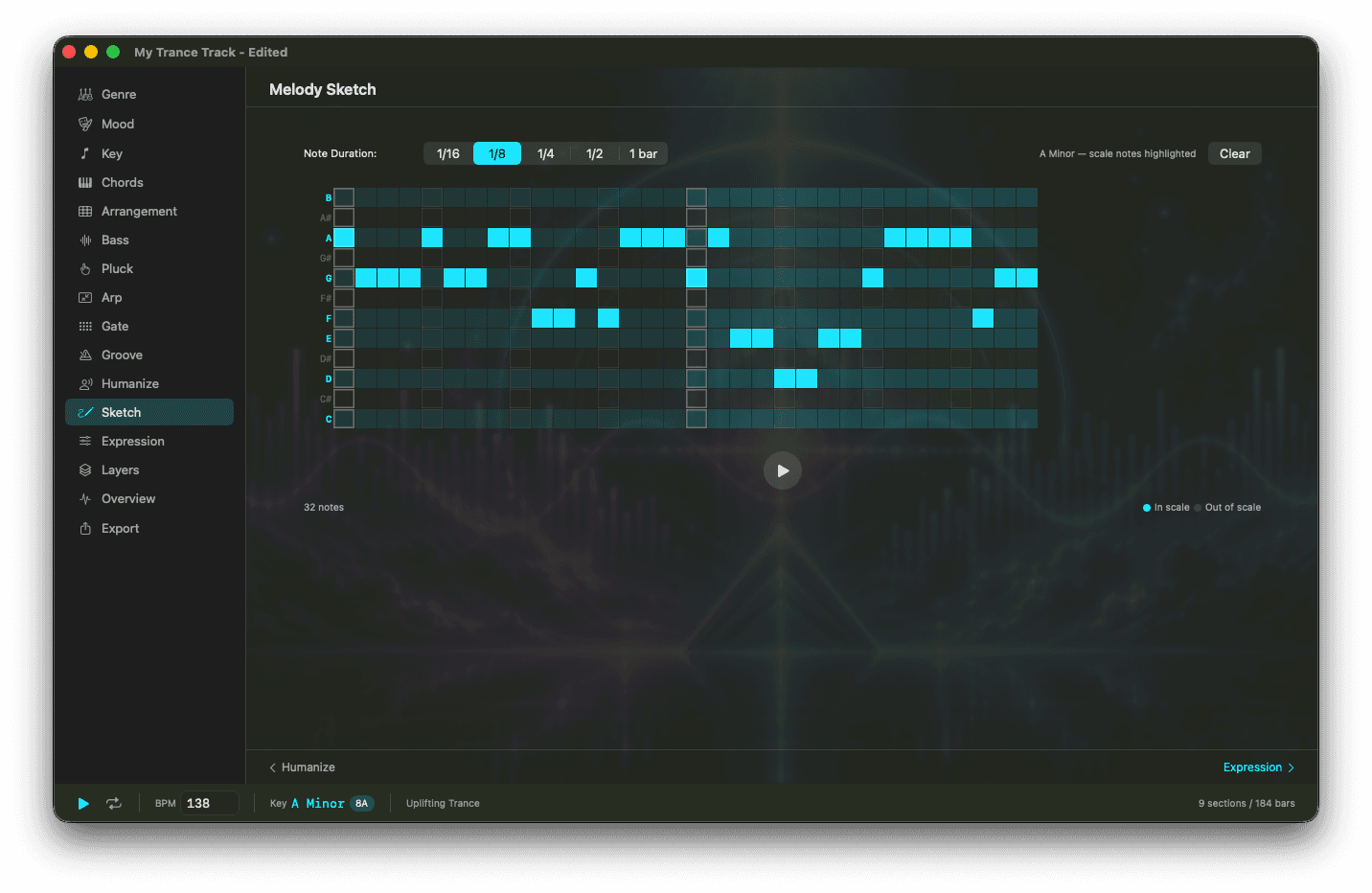
Draw melodies on a chromatic grid with scale highlighting. Notes in your selected scale are highlighted so you can see which notes are in key at a glance. Octave offset, real-time preview. Your sketched melody is included in MIDI export.
6 Expression Sliders
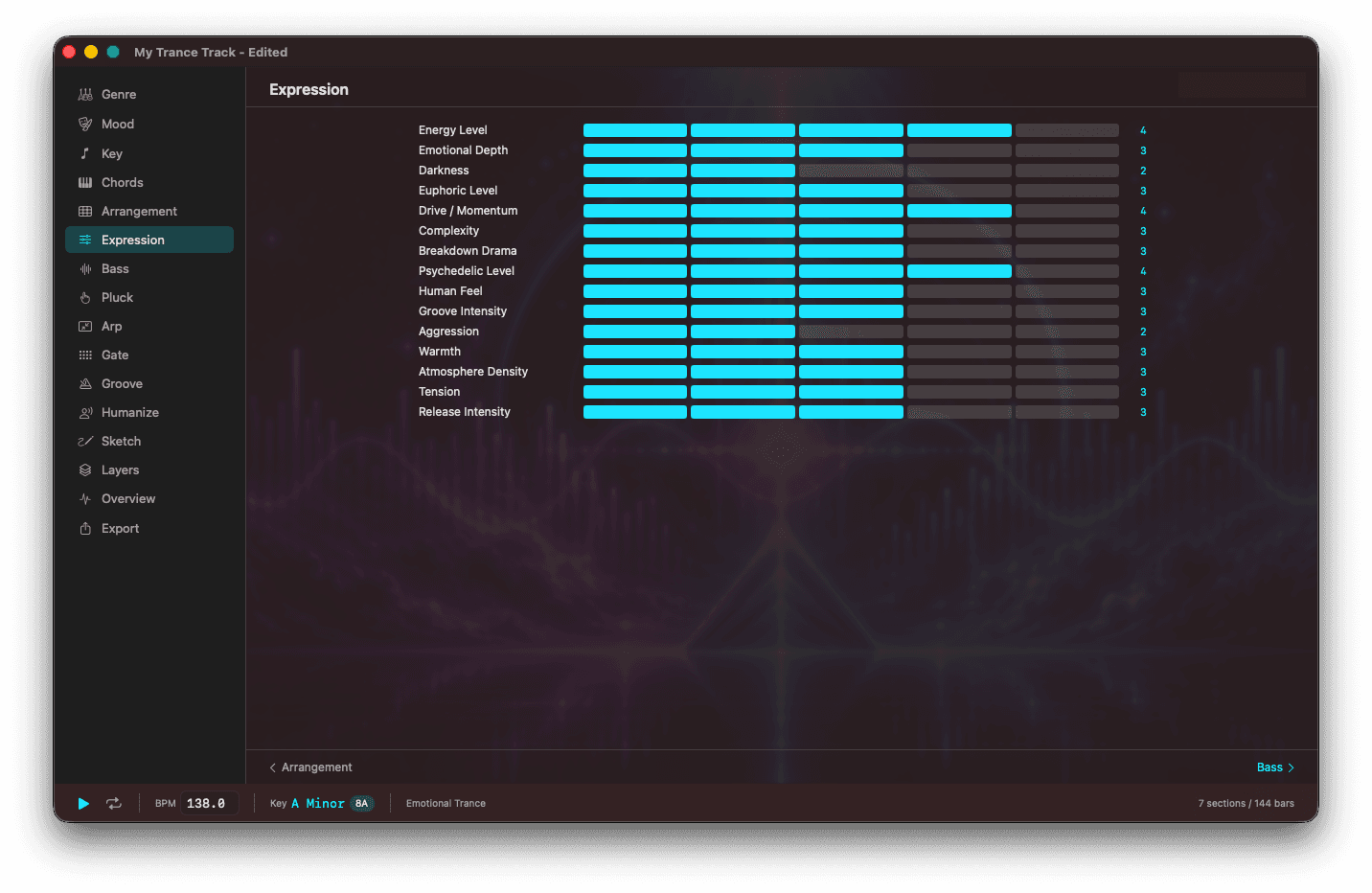
Energy Level, Complexity, Breakdown Drama, Pad Thickness, Drop Impact, Build Intensity. Move sliders to shape your track's character, influencing layer density and pattern selection. Auto-tuned from your Genre and Mood, with manual fine-tuning.
Overview & Playback
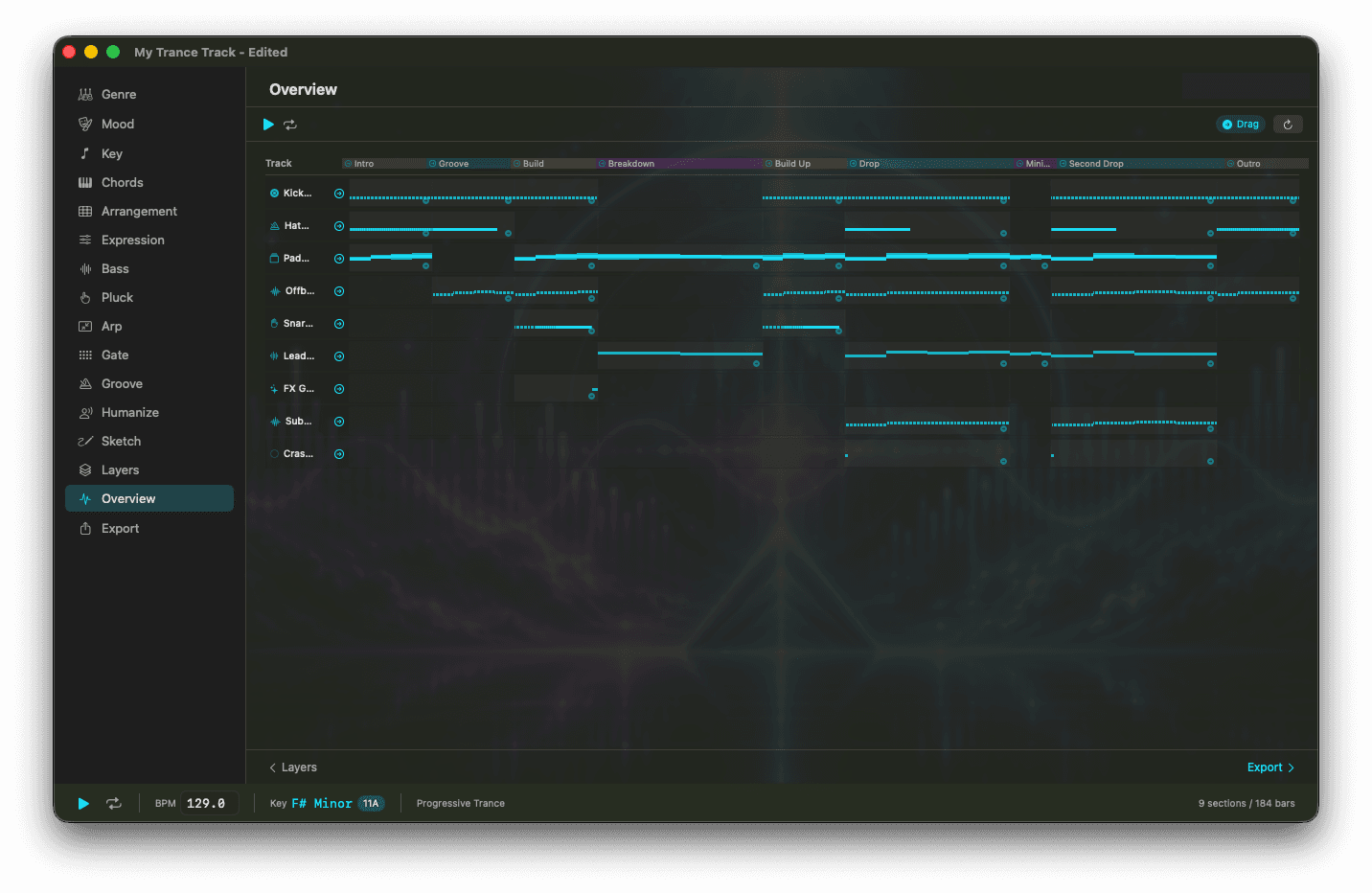
Color-coded section timeline, per-track MIDI visualization, and real-time audio playback with loop mode. Preview your entire arrangement while seeing the big picture.
Key Features
5 Arrangement Presets
Extended Uplifting, Festival Journey, Short Progressive, Psy Driving, Radio Edit. Start from a template and customize.
Auto Guide Track Generation
Automatically place appropriate guide tracks (kick, hat, snare, crash, FX, filter, ride, percussion) for each section.
Flexible MIDI Export
Single file, per-section stems, or ZIP package. Drag and drop to DAW. Tempo track, MIDI markers, sidechain CC auto-generation.
Project File Save
Save and restore as .tma files. Manage multiple projects and resume editing anytime.
Trance-Native Design
Built from the ground up for trance production, not a generic DAW. Section structure, energy curves, and transition FX all purpose-built.
DAW Integration
Compatible with Logic Pro, Ableton Live, FL Studio, Studio One, Bitwig, and more. Just drag the MIDI file.
Workflow
From design to DAW export in 7 steps.
Specifications
Purchase Options Compared
The Mac App Store version and the direct purchase version are the same app. The purchase method determines trial availability, management tools, and update delivery.
Tomocreate Hub is our dedicated management tool. It manages licenses, trials, and updates not only for TranceMIDI but also for all our products including TranceKick, KickPuncher, and Setforge. New version release notifications are delivered in real-time through Hub. A 7-day free trial is available to verify compatibility before purchase. No refunds are provided after purchase for any reason, so please complete your evaluation during the trial period.
Mac App Store purchases are one-time and do not require Tomocreate Hub. All update notifications are delivered through the Mac App Store. Free trials are not available. Refunds are subject to Mac App Store terms.
Design the blueprint. Sound design in your DAW.
Complete the skeleton of your track in TranceMIDI, then finish the sound in Logic Pro or Ableton.
Direct download·7-day free trial·Notarized by Apple·Updates included·Support page
v1.2.1 · 7-day free trial · macOS 14.0+
One-time purchase $29.99 / macOS 14+